A Website Is Probably Showing Strangers Your Home Address. This AI Skill Files the Opt-Outs
Unbroker is an open source skill for Hermes Agent. It finds your listings on people-search sites like Spokeo, Whitepages and BeenVerified, checks they're really you, files opt-out forms and emails, and re-checks later. Here's how it works, the install command, what it asks for, what still needs you, the privacy trade-offs, and a do-it-yourself checklist.
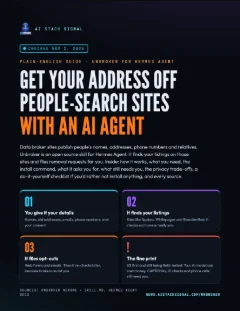
Guide · 9 pages · PDF
Unbroker data broker removal guide
Plain-English steps: what data brokers are, how Unbroker works, what you need, the install command, what it asks for, what still needs you, privacy trade-offs, a do-it-yourself checklist, and every source.
⬇ Download the PDF- What it is
- How it works
- What you need
- What it asks for
- What needs you
- Privacy
- Do it yourself
- Fine print
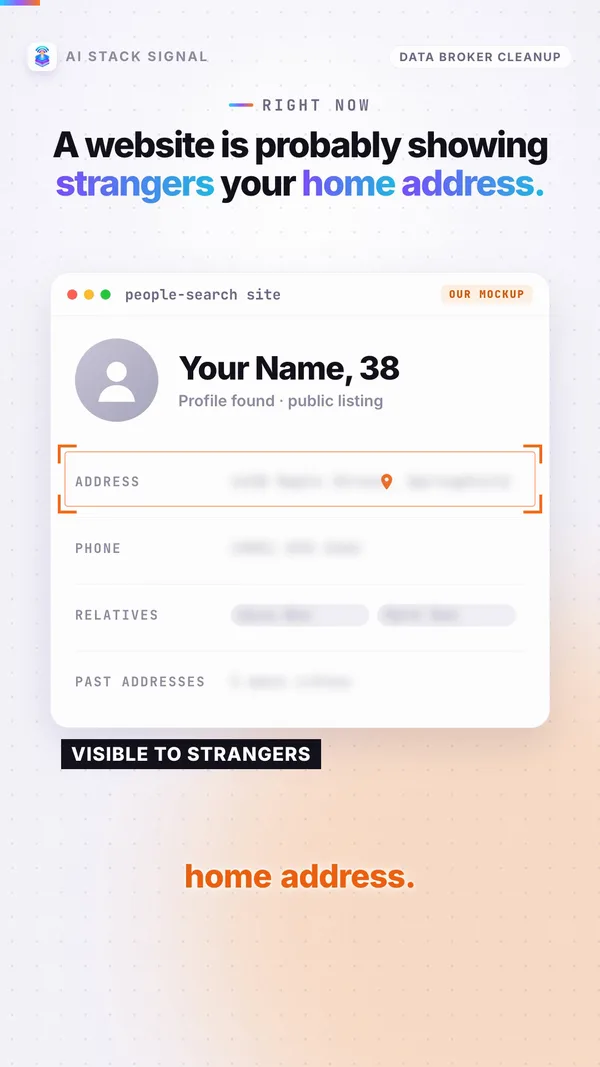
Type your name into a people-search site and there’s a fair chance you’ll see your home address, your phone number and the names of your relatives. Unbroker’s README sums up the problem: “Hundreds of data brokers publish people’s names, current and prior addresses, phone numbers, emails, relatives, and property records. That exposure fuels doxxing, stalking, harassment, and identity theft.”
Getting off those sites by hand means dozens of forms, emails and re-checks. Unbroker is an open source skill that has an AI agent do that work. It runs inside Hermes Agent. In its makers’ words, it “finds a consenting person’s exposed personal information across data brokers and people-search sites and removes it.”
It’s real, and the idea is good. But it’s young, it’s built for the US first, and it still needs you for a few steps. Below is how it works and what to watch for, taken from its own files on November 2, 2026.
What this actually is
Data brokers are companies that collect and sell people’s details. Many of them run people-search sites where anyone can look you up.
Unbroker is a skill for Hermes Agent, an AI agent app. A skill is a set of instructions and tools the agent can load. Its one-line summary: “Remove your info from data-broker sites, by name or phone.”
The basics, from its SKILL.md and the folder’s commit history:
- Author: SHL0MS. It lives in Nous Research’s hermes-agent repository, in the optional-skills/security/unbroker folder.
- License: MIT, so the code is open source.
- Version: 1.0.0. First added on July 3, 2026, with a spam-call update on October 26 and fixes on October 27.
- Broker list: adapted from BADBOOL by Yael Grauer (CC BY-NC-SA 4.0, non-commercial).
It calls itself “Hermes-native.” The agent does the work “with native tools (web_extract, browser_exec, email, cronjob, delegate_task).” We found no source showing it works in other agent apps, so this page covers Hermes Agent only.
Use case
You searched your name and found your current address and your parents’ names on two or three people-search sites. You’d remove them yourself, but each site has its own form, some want an email, and you know they tend to come back. That’s the job this skill is built for.
Takeaway
Open source skill, Hermes Agent only, and it files removal requests for you. It doesn’t erase you from the internet.
How it works
The README says you hear from it twice: “at intake, and with one digest of anything only a human can do.” In between, the agent works on its own.
1. Intake and consent. You give it everything in one conversation: names and aliases, current and prior cities, emails and phone numbers. It records your consent. “Without consent the engine refuses to plan or act.”
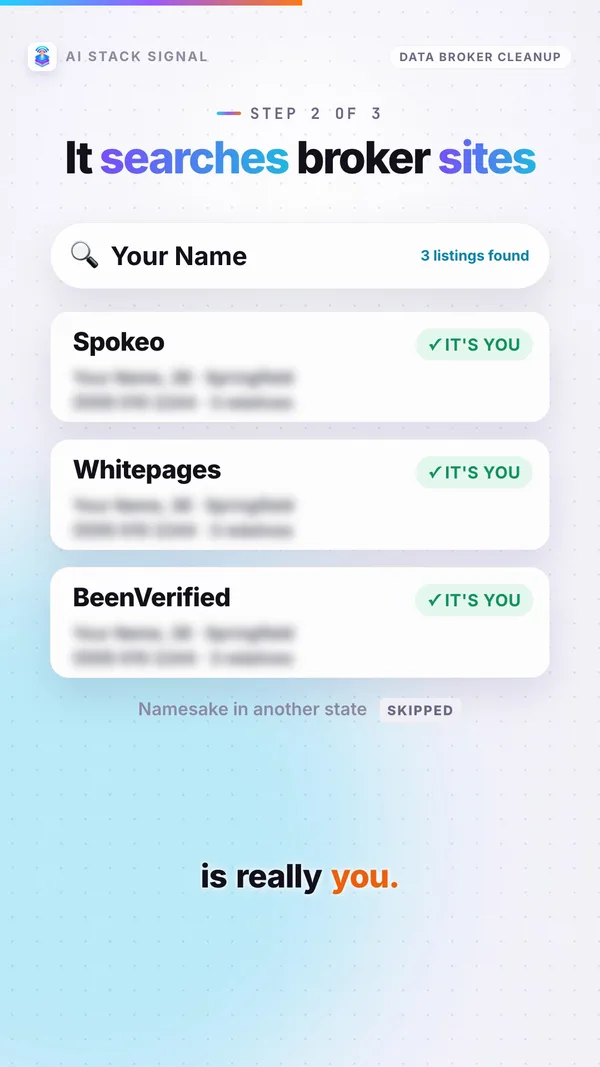
2. Find your listings and check they’re you. It searches under every name, phone, email and address, so “listings under a maiden name or an old address are found.” Then it checks before sending anything: “Nothing is submitted until a real listing is confirmed,” and the match has to be you, “not a namesake or relative.”
3. File opt-outs. For web forms, it fills in the site’s opt-out page in a browser and screenshots the confirmation. For email, it sends an opt-out, CCPA or GDPR request, with the recipient “locked to the broker’s own address.”
4. Re-check on a schedule. Removals are “perishable (brokers re-list you).” So “confirmed removals are re-scanned on a schedule so a re-listing is caught and re-filed.”
Parents first. “Many brokers are resold shells of a few parents, so one removal can clear a dozen child sites.” One example from its own broker files: Intelius belongs to parent PeopleConnect, which owns TruthFinder, Instant Checkmate, US Search, ZabaSearch, Classmates, PeopleFinder, PeopleLookup, Addresses, AnyWho and PublicRecords.
Honest reports. “‘Hidden from free search’ is never reported as ‘deleted’.” If a site only hides you, it says so.
Spam calls. You can start a run from your phone number. It can register a US number on the FTC’s National Do Not Call Registry, but only after you confirm.
Workflow
- Gather your names, old addresses, emails and phone numbers before you start.
- Do the intake in one go and give your consent.
- Let the agent search, check and file.
- Read the digest and do the human-only tasks it lists.
- Leave the re-checks running, because brokers re-list people.
Takeaway
One conversation in, one digest out. The parent-company trick is why a single removal can matter more than it looks.
What you need
Two things are required: Hermes Agent, and an AI model for it to use.
1. Hermes Agent. Install it by following its own README. Hermes Agent is open source (MIT).
2. An AI model, which can cost money. Hermes says you can “Use any model you want,” and names Nous Portal, OpenRouter, OpenAI and your own endpoint among the options. Nous Portal “covers all of them under one subscription.” The sources give no prices, so check your provider’s own pricing before you start.
3. The skill. One command, from the README and the Hermes docs page:
hermes skills install official/security/unbroker
The core engine needs only Python, with “no extra packages needed for the core engine.” And “The skill works zero-config.”
Optional add-ons from the README:
- A cloud browser: a
BROWSERBASE_API_KEY. The sources give no price for this. - Email sending: browser mode (your logged-in webmail) or
EMAIL_ADDRESSandEMAIL_PASSWORD. “Without either, it falls back to writing drafts for you to send.” - Encryption: the
agetool, so your saved details aren’t plain text. - The google-workspace skill.
Workflow
- Get Hermes Agent running with a model you’re happy to pay for.
- Run the install command above.
- Decide on email: set up sending, or skip it and it writes drafts you send yourself.
- If you add any key or email password, keep it in your own setup. Never paste it into a chat or a screenshot.
Takeaway
The skill code is open source. The AI model you run it with is the part that can cost money.
What it asks you for
Brokers file you under every name, phone, email and address you’ve had. The more of those you give at intake, the more listings it can find.
Have these ready:
- Your full name, aliases, and a maiden name if you have one.
- Your current city and the cities you lived in before.
- Your old addresses.
- Your email addresses.
- Your phone numbers.
Why consent matters. The README: “Consent-gated. The engine refuses to scan or act on a subject without a recorded authorization.” That stops it being used to dig into someone else. It also means you decide, up front, that your details will go out to these companies. The README adds: “This is not legal advice. Only operate on people who have authorized removal of their own data.”
What it holds back. “Only the exact fields a broker requires are sent (least-disclosure; SSN and ID numbers are never volunteered).”
Good to know. Blind opt-outs are on by default. SKILL.md: “Submit an opt-out/deletion on every site with an accessible removal channel, even when a listing was not first confirmed.” It “discloses only the subject’s own identifiers to the broker’s own official channel.” In plain English: some brokers get your details from the opt-out itself, even if they hadn’t shown a listing for you.
Which law it cites depends on where you live: “CCPA/CPRA in California, GDPR in the EU/UK, a general right-to-delete request otherwise.”
Prompt to try
Once the skill is installed, start the intake in plain words and hand over everything at once:
Run Unbroker for me. I consent to removing my own data. My names are Jane Smith and Jane Doe (maiden name). I live in Austin, Texas, and lived in Dallas and Tulsa before. My emails are jane@example.com and jsmith@example.com, and my phone number is 555-0100. Use your own details, of course. The names and numbers above are made up. If you haven’t set up email sending, it writes the emails as drafts, so you see exactly what goes out before you send anything.
Takeaway
Give it every name and address you’ve had, and know that your consent means your own details go to the brokers.
What still needs you
The agent does the searching and filing. Some steps need a real person. The README names them: “a CAPTCHA it cannot clear, a government ID, a phone call, or a fax.” These come to you in the digest.
- CAPTCHAs. It uses “no CAPTCHA-solving service and no fingerprint spoofing. Hard interactive challenges escalate to a human task.” One live finding in its commit history: Spokeo’s opt-out form is now CAPTCHA-gated.
- ID checks, calls and faxes. Its own broker files list MyLife’s removal method as phone, and Whitepages’ as email.
- Sending emails, if you skip the email setup. You get drafts to send yourself.
- California’s DROP identity check. California runs a state tool called DROP. The README: “for a CA resident, a single verified request deletes their data from every registered broker at once.” California’s registry lists about 545 registered brokers. But you create and verify the DROP account yourself: “identity verification is required by the state; this is a human step.” And “DROP covers registered data brokers, not every people-search site.” DROP is California’s tool, not Unbroker’s.
Use case
You live in California. Unbroker handles the people-search sites it knows, and its digest reminds you to set up DROP. You verify your identity with the state once, and that one request goes to every registered broker.
Takeaway
Plan for a short to-do list from the digest. It isn’t hands-free.
Privacy and limits
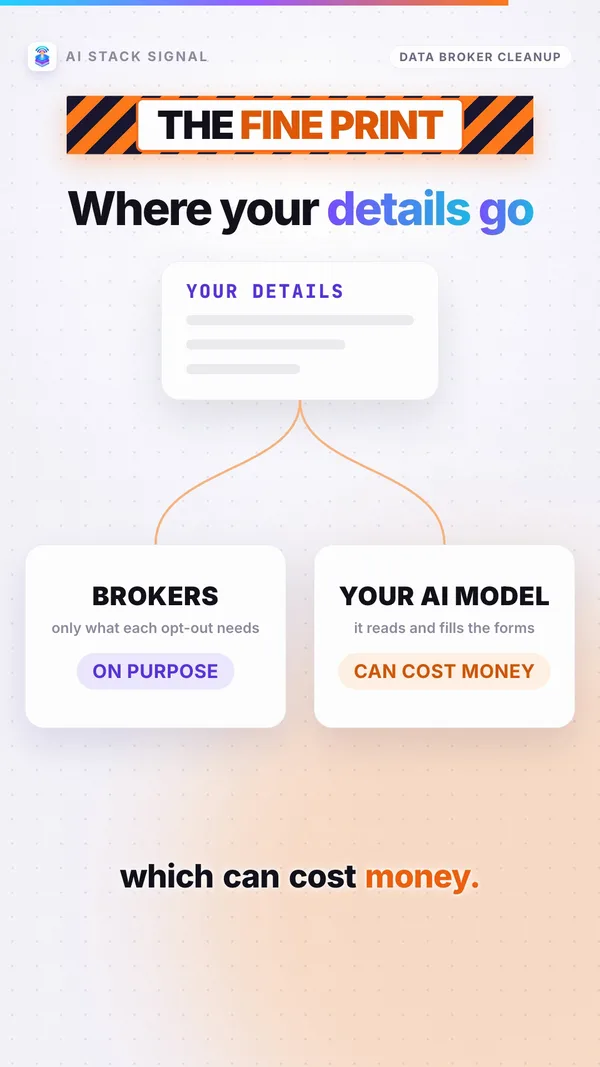
To remove your details, a tool has to handle your details. Here’s where they go:
- To brokers, on purpose. Opt-out requests carry your own details to each broker’s official channel.
- To your AI model. The agent itself reads your saved details and fills in the forms. So whichever model provider you pick processes your personal information. No source says this word for word; it follows from how the agent works.
- Saved on your computer. “Dossiers live under the Hermes home directory,” with locked-down file permissions. They are “plaintext by default,” with optional encryption.
And the limits:
- US first. “Scope is US-first, with EU/UK (GDPR) and global coverage on the roadmap.”
- Still being tested. “Live agent-driven submission against broker sites is the active field-testing frontier.”
- Public records stay public. “Public records (voter, property, court) and offline vectors are out of scope.”
- No guarantee. Removing data from brokers “reduces exposure but does not guarantee total erasure.”
Why the makers built it, in their words: “Commercial services such as EasyOptOuts, Incogni, and DeleteMe solve this for a fee, but they are closed, and you hand a company you know nothing about the exact data you are trying to erase.” They also claim “Coverage that matches or exceeds commercial services.” That’s their claim. We found no independent test.
Which brokers it knows: “19 curated records” plus a live pull from BADBOOL. Live records in its broker files include Spokeo, Whitepages, BeenVerified, Intelius, PeopleFinders, TruePeopleSearch, FastPeopleSearch, FamilyTreeNow, MyLife, That’s Them, USPhoneBook, Social Catfish, CyberBackgroundChecks and SearchPeopleFree. Some sites named in the README are now marked defunct in its own files.
Workflow
- Pick a model provider whose privacy terms you’re comfortable with, since it will see your details.
- Turn on encryption if other people use your computer.
- Skip the email setup at first, so it writes drafts and you see what goes to each broker.
- Treat the results as “less exposed,” not “erased.”
Takeaway
Say “it files removal requests at people-search sites,” not “it removes me from the internet.”
Do it yourself instead
Not ready to run an AI agent? You can do the same basic job by hand. It’s slower, but your details only go to the brokers. We list the sites below; we didn’t check each site’s opt-out page address, so look for the site’s own “opt out” or privacy link.
- Write your list. Every name, alias and maiden name, current and old cities and addresses, emails and phone numbers.
- Search yourself on the big sites. Spokeo, Whitepages, BeenVerified, Intelius, PeopleFinders, TruePeopleSearch, FastPeopleSearch, FamilyTreeNow, MyLife. Make sure each listing is really you, not a relative.
- Start with the parent companies. Intelius belongs to PeopleConnect, which also owns TruthFinder, Instant Checkmate, US Search, ZabaSearch and more.
- Give only what each form asks for. Never volunteer your Social Security or ID numbers. Expect CAPTCHAs (Spokeo has one), and some sites that work by email (Whitepages) or phone (MyLife).
- California resident? Use the state’s DROP tool and verify your identity with the state.
- Spam calls? Register your US number on the FTC’s National Do Not Call Registry.
- Set a reminder. Brokers re-list people. Search yourself again later and re-file.
Takeaway
The checklist works with or without the agent. The PDF above has it on one page.
The fine print
- Hermes Agent only: we found no source showing Unbroker works in other agent apps.
- It can cost money: the skill code is MIT, but the AI model and the optional cloud browser can cost money. The sources give no prices.
- Young software: the makers say live submissions are still being field-tested.
- “Your AI model sees your details” is our reading of how the agent works.
- Not connected: AI Stack Signal isn’t connected to Nous Research, SHL0MS, or any broker or removal service.
Takeaway
Every fact here comes from Unbroker’s own files and the Hermes Agent docs, checked on November 2, 2026. Grab the PDF guide above for the full walkthrough and the do-it-yourself checklist.
Sources & links 7
- Unbroker README (NousResearch hermes-agent repo) github.com ↗
- Unbroker SKILL.md github.com ↗
- Unbroker broker records github.com ↗
- Unbroker legal notes: California DROP github.com ↗
- Commit history of the Unbroker folder api.github.com ↗
- Hermes Agent docs: Unbroker skill hermes-agent.nousresearch.com ↗
- Hermes Agent README github.com ↗
More on AI Agent News, AI Safety & Regulation News