Signals/ AI for Beginners/ Reel /
Run a Giant AI on Your Own Computer With Colibri: The Trick, the Setup and the Catch
Colibri is a free, open-source tool that runs very large AI models on a normal computer, with no graphics card required. Here's how the trick works, how to set it up, which model fits your machine, and the catch. We did not test it, so every number here is Colibri's own.
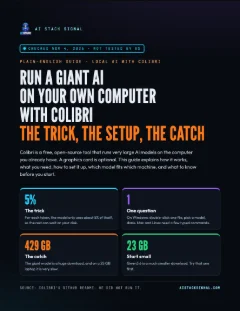
Guide · 5 pages · PDF
Colibri local AI guide
Plain-English pages: what Colibri is, what you need, the setup for Windows, Mac and Linux, which model fits which machine, the catch, and our source.
⬇ Download the PDFThe biggest open AI models are usually too big for a home computer. Colibri takes a different route: it runs them from the machine you already have, and a graphics card is optional.
We did not test this. We read Colibri’s GitHub page on November 4, 2026, and we did not install or run it. So every speed below is Colibri’s own number, or one from its community, and yours will differ.
What Colibri is
Colibri is a free, open-source program under the Apache 2.0 licence. It dates from July 2026 and had 47,548 stars on GitHub on November 4. Its GitHub page says it “runs very large open models on the machine you already have”.
It can run more than one model. The giant one in our reel is GLM-5.2, which Colibri lists at 744 billion parameters. Parameters are the numbers inside a model, and our reel calls them parts. Other reports say 753 billion, and we did not read the official model card.
Use case
You’ve read about huge open AI models, but you assumed they were only for people with a rack of graphics cards. Colibri is one way to try one on the computer on your desk, if you’ve got the disk space and the patience.
Takeaway
Colibri is the program. The AI models are separate downloads, and you choose which one.
The trick
Three words help here:
- Token: a piece of a word. AI writes one token at a time, so speed is counted in tokens a second.
- Memory (RAM): your computer’s fast short-term space, for whatever it’s working on right now. It’s small.
- Disk: long-term storage, where your files live. It’s big, and much slower than memory.
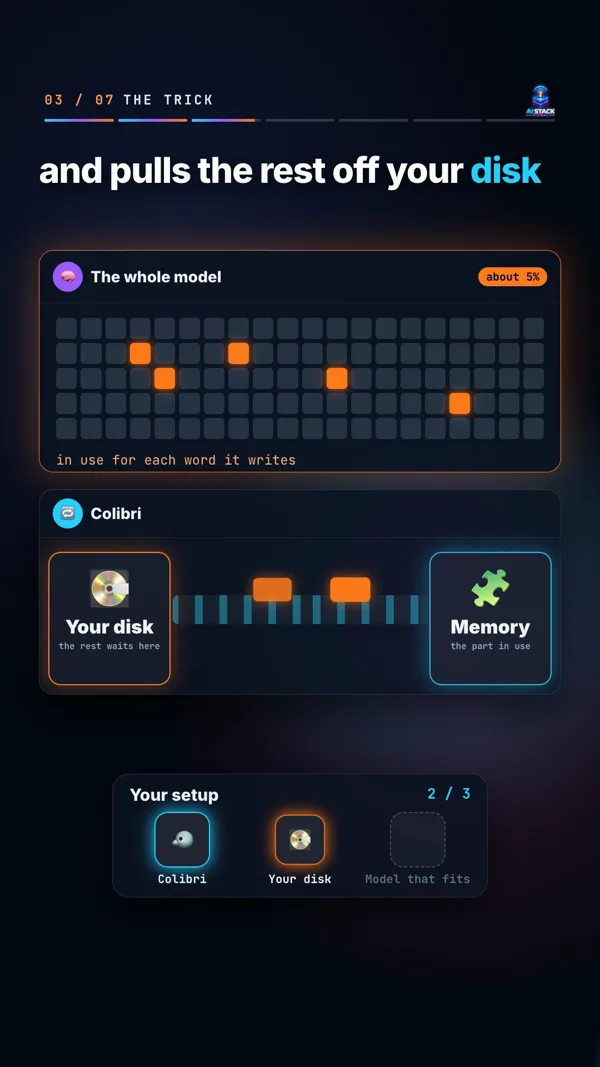
Models this size are built from many smaller parts called experts, and only some of them work on each token. Colibri says GLM-5.2 “uses about 40B for each token”. That’s about 5% of the whole model.
So the whole model doesn’t have to fit in memory. The part that’s always needed stays in memory. The experts stay on your disk and are read when the model asks for them. A cache learns which experts your work uses, and Colibri says it gets faster the more you use it.
Use case
Think of a huge reference library with one small desk. You keep the few books you always need on the desk, and you fetch the rest from the shelves when you need them. You never need the whole library on the desk at once. The fetching is what takes the time.
Takeaway
The model lives on your disk and works through your memory. That’s why it fits, and why it can be slow.
What you need
Colibri’s minimum:
- 8 GB of memory at the very least. 16 GB or more is better.
- 22 GB free on your disk for the smallest model.
- An internet connection for the download.
- A graphics card is optional. It helps, but you don’t need one.
Takeaway
Check two numbers before anything else: your memory and your free disk space.
How to set it up
Windows is the one-double-click route. Mac and Linux need a few typed commands. These steps come from Colibri’s GitHub page.
On Windows:
- Go to github.com/JustVugg/colibri, click Code, then Download ZIP, and unzip it.
- Double-click START-HERE.bat in the unzipped folder. If Python is missing, it offers to install it for you.
On a Mac, with Homebrew installed, open Terminal and type these one line at a time:
xcode-select --install
brew install libomp git python
git clone https://github.com/JustVugg/colibri
cd colibri
./start-here.sh
On Linux (Ubuntu and Debian; other versions have the same packages under their own names):
sudo apt install git python3 build-essential
git clone https://github.com/JustVugg/colibri
cd colibri
./start-here.sh
Then, on all three:
- Answer one question: which model? Press Enter to take the recommendation. The setup looks at your memory, disk, processor and graphics card, and recommends a model that fits.
- Wait for the download. You can stop whenever you like. Run the same thing again and it carries on where it stopped.
- Colibri starts and opens its dashboard in your browser.
Next time, run START-HERE.bat or ./start-here.sh again and it starts straight away, with no download. To stop it, press Ctrl+C in its window, or close the window.
If you already use an AI coding assistant, Colibri’s README suggests asking it to do the setup. This is Colibri’s prompt, not ours, and we haven’t tried it:
Set up colibri on this machine following docs/AI_SETUP.md from https://github.com/JustVugg/colibri
Use case
You’ve got a Windows desktop and no idea what a terminal is. Download the ZIP, double-click the file, and press Enter at the question. If you’re happy typing commands, Colibri also has a —list option that shows every model against your computer, and why one doesn’t fit.
Takeaway
Windows: download, double-click, press Enter. Mac and Linux: paste a few lines first, and then it’s the same.
Which model for which machine
Memory is two numbers in Colibri’s tables. Below the first, the model won’t start. From the second, it runs as measured.
| Model | Good for | Download | Memory | Colibri’s measured speed |
|---|---|---|---|---|
| Qwen3-Coder | Code | 19 GB | 8 / 18 GB | 8.5 to 9.6 tokens a second with every expert in memory, on a desktop with 61 to 64 GB |
| Qwen3.6 | Chat | 23 GB | 10 / 20 GB | 6 tokens a second on the processor of a desktop with 61 to 64 GB |
| Qwen-Image-2.1 | Pictures, non-commercial | 33 GB | 12 / 18 GB | One 768x512 picture in 2 min 40 s on an 8-core processor |
| DeepSeek V4 Flash | Large chat model | 167 GB | 16 / 32 GB | 0.93 tokens a second with 32 GB, processor only |
| GLM-5.2 | The giant one | 429 GB | 16 / 24 GB | One token every 10 to 20 seconds on a 25 GB laptop, cold. 1.83 a second on a 128 GB machine. 9.0 to 9.2 on six RTX 5090 cards |
“Cold” means nothing was cached yet. There are more models on Colibri’s GitHub page.
Here’s what those speeds mean, by our own sums. A 60-token reply takes 10 seconds at 6 tokens a second. At one token every 10 to 20 seconds, the same reply takes 10 to 20 minutes.
Those speeds belong to the machines named. Qwen3.6’s 6 tokens a second came from a desktop with 61 to 64 GB of memory. On a laptop with a Core i7-1355U, it did 2.1 tokens a second on the processor. On a machine with an RTX 3070 graphics card, it did 30.
Use case
You’ve got 32 GB of memory and 100 GB free. GLM-5.2 won’t fit on that disk, but Qwen3.6 will, with room to spare. Our advice is to take the setup’s recommendation, or start with Qwen3.6, and see how your computer copes.
Takeaway
Start small. A 23 GB test costs you far less than a 429 GB one.
The catch
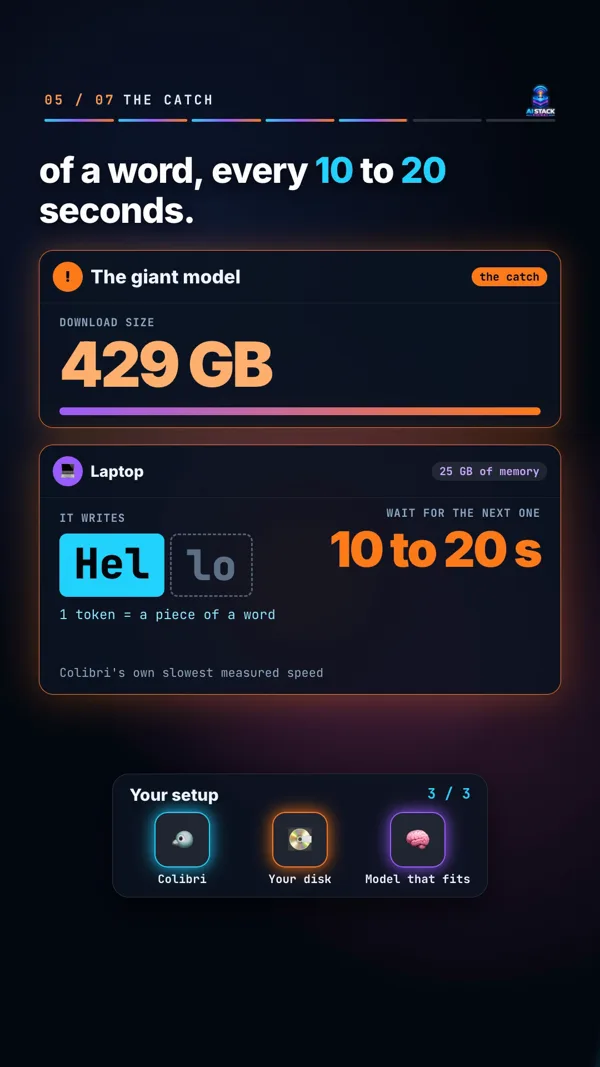
- The downloads are big. 23 GB for Qwen3.6, 429 GB for GLM-5.2. Check your free disk space, and expect a long wait.
- Your disk sets the speed on large models. They read from the disk as they write, and Colibri says a fast NVMe drive helps most. NVMe is a fast kind of solid-state drive. For small models, memory sets the speed.
- Giant models can be painfully slow. GLM-5.2 writes one token every 10 to 20 seconds on a 25 GB laptop. Colibri calls that “the honest floor”.
- Each model has its own licence. Colibri is Apache 2.0, but its page says each model keeps the licence its authors gave it. GLM-5.2 is under MIT, and Qwen-Image-2.1 is for non-commercial use only. Check before you use a model for work.
- Short on disk space? If the setup says it needs more free space, add —dir and a folder on a bigger disk.
Takeaway
Big downloads, a fast disk for big models, and a licence check for every model. Know all three before you start.
The fine print
- Not tested by us: we did not install or run Colibri. We only read its GitHub page, on November 4, 2026.
- Colibri’s numbers: every speed here comes from Colibri’s page, not from us. The 60-token sums are ours.
- Model size: 744 billion is Colibri’s figure. Other reports say 753 billion. We did not read the official model card.
- No quality claim: we say nothing here about how good any of these models are. Try one on your own work and judge it yourself.
- Not connected: AI Stack Signal isn’t connected to Colibri or any model maker.
Takeaway
The facts come from Colibri’s GitHub page, and the advice is ours. Grab the PDF guide above for the full walkthrough.
Sources & links 1
More on AI for Beginners